
Runout Poker Trainer GTO Coach
Learn Poker Offline LabsEducation
4.6106.00 Reviews
- Version
- 1.1.17
- Installs
- 50.00K
- Age Rating
- Teen
Screenshots
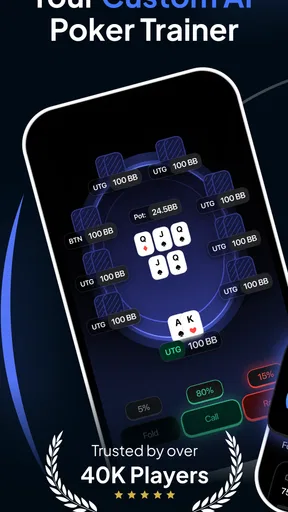
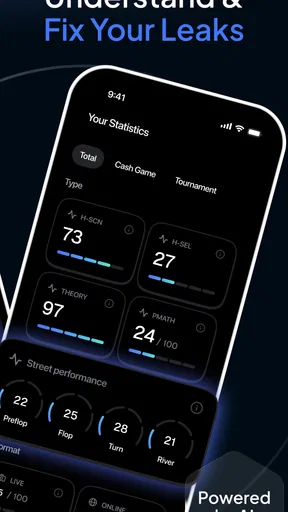
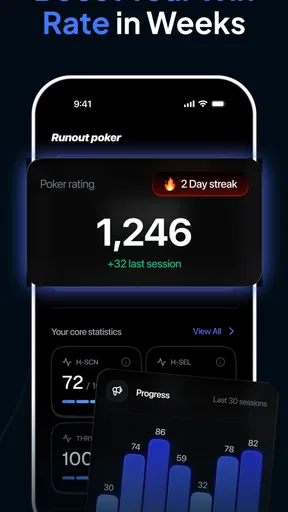
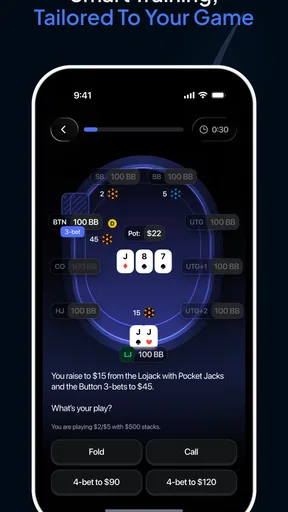
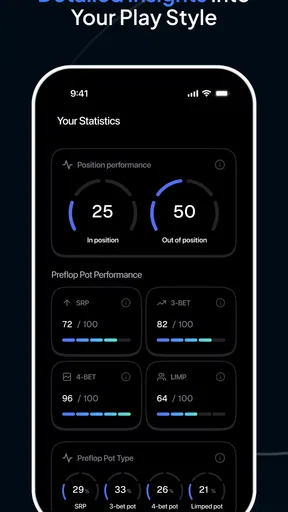
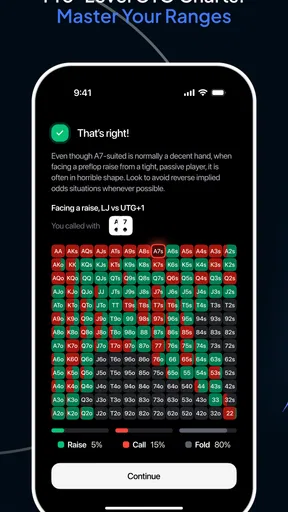
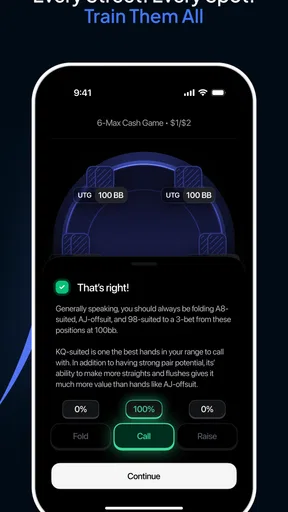
Our Review of Runout Poker Trainer GTO Coach
 Analysis by Appyee
I found Runout Poker Trainer GTO Coach most useful when I treated it as a focused practice tool rather than a complete poker course. It is an Education app from Learn Poker Offline Labs, built around range practice, GTO thinking, odds, and AI-based training. That combination gives it a clear purpose: helping me make better decisions away from a live table, where I can slow down, examine a situation, and repeat the same type of exercise until the reasoning feels more natural.
The app is free to start, carries a Teen content rating, and has reached a 4.6 average from around 4.4 thousand ratings. That is a healthy sign of interest, although I would not mistake popularity for proof that it suits every player. This is aimed at someone who wants structured poker study, not someone looking for a casual card game or a quick way to pass time.
How the current training experience feels
My first impression was that the app is strongest when I use it in short, deliberate sessions. I can open it with one question in mind, such as whether a hand belongs in a continuing range or how a particular runout changes the strength of a decision. That makes it easier to study during a break, before playing, or after a session when I remember a hand that confused me.
The central idea is practical. Instead of only reading about GTO strategy, I have to engage with poker situations and think about ranges, odds, and future cards. That matters because poker mistakes are often not caused by forgetting a definition. They come from making a rushed judgment about how a board changes the relationship between my hand and an opponent's possible holdings.
The AI training angle also gives the exercises a more active feel than a static article. I am not simply scrolling through a chart and hoping the information sticks. The value comes from making a choice, checking the result, and noticing where my instinct differs from a more disciplined strategic approach. I recommend answering before looking for confirmation; otherwise, it is easy to turn practice into passive reading.
One useful habit is to keep a mental distinction between memorizing a range and understanding why it behaves that way. A range trainer can show me that a hand is included in a situation, but I still need to connect that answer to position, board texture, blockers, and likely responses. The app works best as a prompt for that reasoning, not as a replacement for it.
A better way to use short sessions
I would divide practice into three stages. First, I make the decision without trying to be perfect. Second, I inspect the result and identify the exact source of the mistake: was it the hand category, the odds, the runout, or an assumption about the opponent's range? Third, I repeat the same type of situation later rather than immediately jumping to an unrelated topic.
That workflow reveals one of the app's less obvious strengths. Its value is not only in getting individual answers right. It can expose recurring weaknesses, especially when I stop treating every error as a general failure and instead label it more precisely. For example, a player may understand preflop ranges but misread how a turn card changes equity. Another may know the odds but choose poor hands because the starting range was too loose.
I also found it more useful to study with a narrow goal than to chase a feeling of completion. A short session focused on one family of decisions is easier to remember than a long, unfocused run through everything available. That is particularly important for newer players, who can otherwise confuse exposure to poker vocabulary with actual improvement.
What the latest version means in practice
The current version is 1.1.17, and the app was released on March 30, 2026. I see that as a relatively early stage in its product life, so I would judge it primarily by the usefulness of the present training loop rather than by assuming it already covers every study need a mature poker platform might offer.
That distinction matters for existing users. A version number can show that the app is being maintained, but it does not automatically tell me how deep the underlying strategy content is or whether every advanced scenario is represented. The sensible approach is to use the current build for the exercises it handles well, while keeping expectations measured about its role in a larger study routine.
For someone returning after an earlier installation, the practical question is whether the current experience feels stable and relevant to the way they study. I would begin with a few familiar spots and compare the explanations or training flow with what I remember. That is more useful than assuming a newer version must have transformed the entire product.
The app supports Android 7.0 and later, which makes it accessible to people using older compatible devices. That can be helpful if I want to dedicate a spare phone or tablet to study. At the same time, older hardware may make any interactive training feel less comfortable than on a newer screen, so I would test the experience on the device I actually plan to use rather than relying only on compatibility.
Who gets the most from it
I would recommend it first to low- and mid-level players who already understand basic poker rules and want more structure. If terms such as range, equity, draw, and board texture are still completely unfamiliar, the app may feel demanding because it asks me to apply concepts rather than introducing every idea slowly from the beginning.
It is also a good fit for players who dislike studying from long videos. A video can be helpful for seeing a coach explain a complete hand, but it is easy to watch without making decisions. This trainer pushes me to participate. For a learner who prefers repeated questions and immediate correction, that is a meaningful advantage.
Another strong use case is preparation before playing. I can spend a few minutes revisiting common decision patterns instead of opening a table cold. The goal is not to memorize a magical answer for every hand. It is to get my attention back onto ranges and probabilities, which may reduce emotional decisions when real money or competitive pressure is involved.
I would not recommend relying on it alone if I were preparing for highly specialized formats, unusual table dynamics, or a serious technical study plan that requires extensive hand-history analysis. A dedicated database, coaching program, or more comprehensive solver-oriented resource may be better for that job. This app is more convenient and focused, but that focus is also its boundary.
Where it differs from ordinary poker study
The usual alternatives in this category tend to fall into a few groups: articles and videos, static charts, hand-review tools, and advanced solver software. Runout Poker Trainer GTO Coach sits between the first two and the more technical tools. It is more interactive than simply reading a chart, but it is not something I would treat as a full replacement for detailed analysis of my own played hands.
Compared with videos, the main benefit is active recall. I have to commit to a decision before seeing the outcome. Compared with charts, the benefit is context: a chart can be useful for reference, but it does not always make me confront how a later card changes the situation. Compared with solver software, the benefit is convenience and a gentler entry point; the trade-off is that a focused trainer cannot provide the same depth of investigation I might want for a complex hand.
That middle position makes the app particularly practical for mobile study. I can use it when I do not have the patience, screen space, or time for a full review. The important trade-off is that convenience can encourage shallow repetition. If I tap through exercises quickly, I may improve my speed without improving my understanding. I get better results when I pause and explain the decision to myself in plain language.
Everyday scenario: turning a confusing hand into a study plan
Imagine I finish a session and remember calling in a spot that felt uncomfortable after the board changed. My first impulse might be to search for the exact hand online, but that can lead to an answer that only fits the original details. Instead, I can use the app to revisit the broader idea: how a runout affects ranges, which hands gain or lose equity, and whether the decision should be viewed through odds rather than emotion.
After that practice, I would write down one sentence about the mistake, such as “I focused on my pair and ignored how the turn helped the opponent's range.” That sentence becomes more useful than simply recording whether the call was right or wrong. On the next session, I can look for the same pattern in a different hand. This is where the trainer can become part of a repeatable routine rather than a one-time answer machine.
A second scenario is a player who has ten quiet minutes before a game. I would not try to learn an entire strategy in that window. I would choose a small exercise set, answer carefully, and stop while the decisions still feel clear. The purpose is to warm up strategic thinking, not to create false confidence from a perfect short run.
Costs, expectations, and the free starting point
The app is free to install, but in-app purchases range from $17.99 to $89.99 per item. That makes it important to explore the free experience before deciding whether the paid material fits my budget and study goals. I would not pay simply because I want more content; I would first ask whether the existing exercises have already changed how I think about hands.
The pricing range also suggests that different users may value the app differently. A casual learner may be satisfied with limited practice, while a committed player may consider deeper access worthwhile if it supports a regular routine. Since poker study can easily become expensive across multiple tools, I would compare the purchase with the cost of alternatives and avoid collecting resources that I will not actually use.
There is another practical consideration: GTO recommendations can feel rigid when taken out of context. Real opponents do not always play balanced ranges, and the best exploitative decision may differ from a theoretically balanced one. I would use the app to build a baseline, then adjust when I have reliable evidence about an opponent. Treating every training answer as an unbreakable rule would be one of the easiest ways to misuse it.
Remaining gaps and the right boundaries
The biggest limitation for me is not that the app has a focused purpose; it is that focused practice cannot answer every question that appears at a real table. Poker decisions depend on format, stack depth, position, action history, player tendencies, and many other details. Range and runout training can sharpen a foundation, but it does not remove the need to think about the full situation.
I would also be careful with the word “AI.” An AI-guided exercise can make practice feel responsive, but the label alone does not guarantee that every explanation will match the exact reasoning I need. I still want to challenge the result, especially when an answer seems surprising. The best learning happens when I ask why the recommendation makes sense, not when I accept it because it came from an automated trainer.
Beginners may need an additional resource that explains terminology and fundamentals in a slower sequence. Advanced players may want more control over assumptions and more detailed analysis than a mobile trainer is designed to provide. Those are not reasons to dismiss the app; they simply define the audience more accurately.
The Teen rating is another reminder that this is educational poker content, not a harmless arcade game for every age group. Anyone using it should approach poker study responsibly and keep the difference between learning strategy and gambling clearly in mind.
What I would watch as the product develops
Because the app is still early in its release history, I would watch how Learn Poker Offline Labs expands the training experience over time. The most valuable direction would be deeper explanations that connect an answer to the underlying range logic, rather than merely marking a choice as correct or incorrect. Better explanations would help users transfer knowledge from one exercise to a new hand.
I would also pay attention to how well the app serves different skill levels. A useful progression would let a beginner build vocabulary and confidence without overwhelming them, while giving experienced players enough complexity to avoid outgrowing the tool quickly. The challenge is to add depth without losing the quick, mobile-friendly practice that makes the app appealing in the first place.
For current users, my advice is simple: keep notes, revisit mistakes, and judge progress by the quality of your reasoning rather than by a rising answer streak. For new users, start with the free access, use it for several focused sessions, and decide whether the training style matches how you learn. Do not buy the most expensive option before you know that you will return regularly.
My overall view is positive but measured. Runout Poker Trainer GTO Coach is best as a practical companion for deliberate poker study: it gives me a way to practice ranges, odds, and runout decisions when a full coaching session is not convenient. I would recommend it to players who want active repetition and a clearer strategic baseline. I would skip it as a sole resource if I needed complete hand-history analysis, highly specialized theory, or a beginner course that explains every poker concept from scratch.
Used with those boundaries in mind, the app earns its place on my phone. It does not promise to solve poker, and it should not be treated that way. Its real value is smaller and more useful: giving me a structured moment to slow down, make a decision, find the weakness in my thinking, and return to the table a little better prepared.
Verdict
Strengths of Runout Poker Trainer GTO Coach
- Clear GTO guidance helps improve decisions beyond memorized starting charts.
- Hand reviews reveal leaks in your strategy and highlight recurring mistakes.
- Useful for studying bet sizing, ranges, and post-flop decision-making.
- Practice format makes short, focused training sessions easy to fit into your day.
- Suitable for players moving from basic poker strategy toward more advanced concepts.
Limitations of Runout Poker Trainer GTO Coach
- GTO concepts can feel overwhelming for beginners without solid poker fundamentals.
- Some lessons may require patience before their practical value becomes clear.
- Training against fixed scenarios may not fully reflect unpredictable opponents.
- Advanced content can be less useful for players focused only on casual games.
- Progress depends on consistent practice rather than occasional sessions.
Similar Picks in This Category
View All
Duolingo: Language Lessons
Duolingo4.7

Google Classroom
Google LLC2.8

Unacademy: Learn & Crack Exams
Unacademy3.2

Bible App for Kids
Life.Church4.4

Cake - Learn English & Korean
Cake Corp.4.7

Brainly: AI Homework Helper
Brainly4.5
Frequently Asked Questions
What is Runout Poker Trainer GTO Coach, and who is it designed for?
Runout Poker Trainer GTO Coach is a poker study app focused on post-flop decision-making, runout analysis, and Game Theory Optimal concepts. It is designed for players who want to understand how turn and river cards affect ranges, equity, and betting strategies. Beginners can use it to learn structured thinking, while intermediate and advanced players may find it useful for reviewing common situations and improving strategic discipline.
Can Runout Poker Trainer GTO Coach replace a real poker coach or solver?
The app is best viewed as a training companion rather than a complete replacement for a professional coach or full poker solver. It can help you practice recognizing profitable lines, evaluating changing board textures, and comparing decisions with theoretically sound strategies. However, serious players should still combine it with hand reviews, database analysis, table experience, and additional study because no single app can cover every format, stack depth, opponent tendency, or tournament situation.
Is Runout Poker Trainer GTO Coach suitable for complete poker beginners?
Complete beginners may use the app, but they should first understand basic poker rules, hand rankings, position, pot odds, and fundamental betting concepts. The trainer is more valuable when you already know how a standard hand develops and want to improve your decisions across different runouts. Some terminology and strategy concepts may feel advanced at first, so new players should expect to spend time learning the explanations rather than treating every answer as immediately obvious.
Does the app work for cash games, tournaments, and different poker formats?
The usefulness of Runout Poker Trainer GTO Coach depends on the type of poker you play and the situations included in its training material. Its concepts are generally most relevant to No-Limit Hold’em post-flop study, where board runouts and range interaction are central. Nevertheless, tournament players should remember that antes, payout pressure, short stacks, and ICM can change optimal decisions, while cash-game strategies may not transfer perfectly to every tournament spot.
Do I need an internet connection or a subscription to use Runout Poker Trainer GTO Coach?
Before downloading, check the current store listing and the app’s in-app purchase information because access requirements, pricing, and available features can change between versions. Some trainers allow at least part of the practice experience offline, while advanced lessons, updates, statistics, or premium content may require an account, an internet connection, or a paid plan. Reviewing permissions, subscription terms, and cancellation details is recommended before starting a trial or purchase.
